Posts in Category: Weekly Reflections
the Beatles collage – Canva and Digital Content Creation – Graphics and Image Editing Reflection Post (17.11.26)
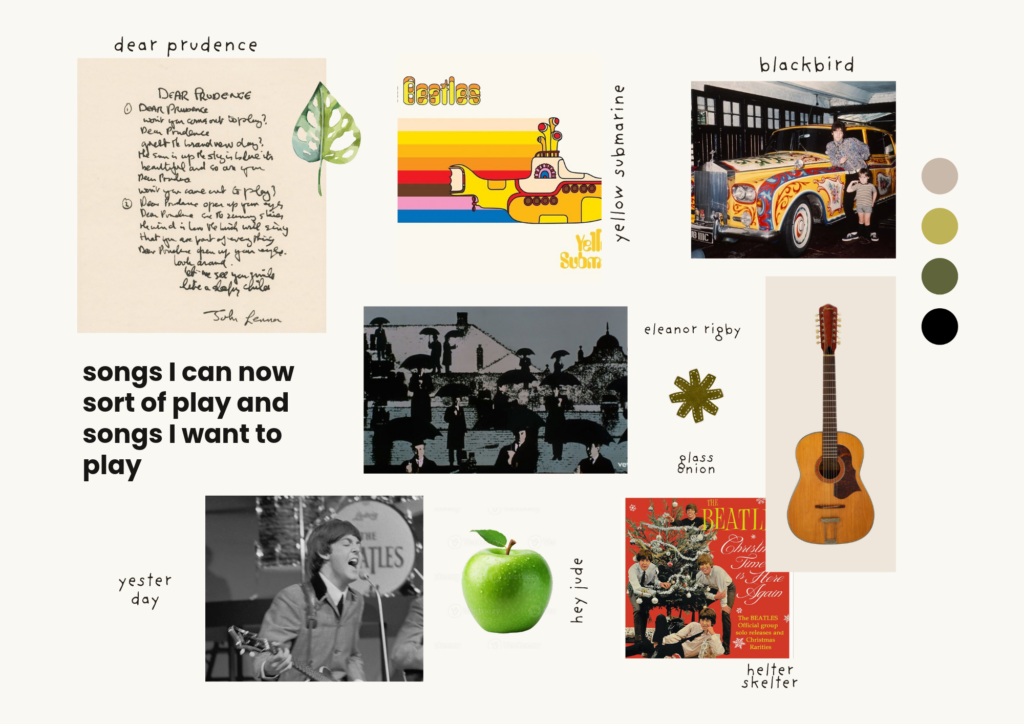
Digital Content Creation – Graphics and Image Editing Reflection Post (17.11.26)
I created this collage on Canva, during our lesson on Digital Content Creation. We learned about the Multimedia Learning Hypothesis, where people can learn more from the combination of words and visuals than just from words. This is highly relevant to teaching, as infographics, graphs, charts, diagrams, and images cover the walls of a classroom and are used in pretty much every lesson. We learned that this hypothesis is based on the idea that we have two channels of input in our brains, auditory and visual — and learning is essentially the process of filtering through all the information that comes through these channels. Pictures can provide a useful shortcut to help us filter that information.
We also touched briefly on AI images. I personally don’t know how I feel yet about the use of AI in the classroom. My Link2Practice teacher uses it heavily, and I can see why. It is incredibly useful and time saving, she recently showed me “Chalkie”, which is a website that creates an entire slide deck with a one sentence prompt. However, in looking at the AI images in this lesson, the “uncanny valley” nature of them really makes me uncomfortable with AI use simply because of its depersonalised artificial nature.
This was an interesting class on image use and AI, and has left me very reflective on where I stand in my future practice.
Reflection (12.11.26): Educational Videos and Audios
Today in class we looked at the ways video and audio can be used more effectively, and how we can actually create our own resources tailored to our students using instructional videos. I often see teachers showing generic Youtube videos in class, but actually it’s quite doable to create targeted instructional videos as a teacher. We used Screencastify, and H5P this lesson to make screencasts.
One advantage of resources like this, is it helps students who learn at their own pace. They can pause, rewind, and slow down a video, which is impossible with oral instruction. I also liked the idea of students creating videos themselves to demonstrate their learning, and being able to guide them through that process. I can definitely see myself using video in an elementary classroom, especially for demonstrating something that might be difficult to explain verbally. For example, a short screencast explaining make-ten strategy games to play at home with families, or a time-lapse showing a plant growing for an in-class project.
I found the discussion of what makes an effective instructional video particularly interesting. One of the examples in the slides used humour and storytelling to explain a fairly abstract scientific concept. I think that was a good reminder that educational videos don’t have to be boring to be informative. Having a clear explanation is important, but so is keeping the viewer interested. I also think videos work best when they’re fairly short and focused on one concept rather than trying to explain too much at once.
Reflection (11.11.26): Learning Design
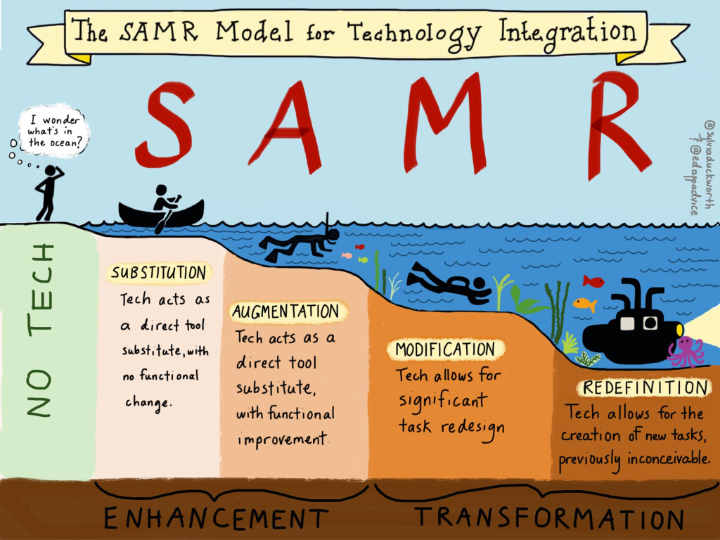
I was sick this week and unfortunately missed class, but I went through the class material independently. I found the SAMR model interesting, especially the difference between using technology to replace something we already do in the classroom and using it to make new kinds of learning possible. I think it’s easy to get caught up in using technology because it’s available, without really thinking about whether it’s improving the lesson. This model (Substitution, Augmentation, Modification, and Redefinition) shows how teachers can use technology for enhancement, and for transformation of lessons and learning intentions. Voice to text and spell check are good examples of “augmentative” uses of tech that enhance student learning. Or even ensuring that your slides are designed in a way that can facilitate discussion, like in this lecture. I think the important question is whether the technology is actually helping students learn, rather than where the activity falls on the model.
As a future elementary teacher, I think I’ll need to be thoughtful about when I use technology and when a simpler approach might work just as well.


Reflection (5.11.26): FIPPA, OER, Content Creation
Today in class we discussed student and teacher privacy in terms of legislation and how that applies to the classroom, safe storage of student data, and also discussed how teachers are content creators. We also discussed the film Most Likely to Succeed as well. I hadn’t previously thought of being a teacher through the lens of “content creation”, and also I didn’t know that Copyright applies to all works created automatically and immediately. This certainly made it clear that in all lesson prep/resource use you need to be aware of how to properly cite and use it. I appreciated all the different examples of OER (open educational resources) and will certainly use this list in the future. Here is an example of an image I found on creative commons. It is also an image that is representative of my current skill level in my free inquiry process.
Citation:
Petful. “Rockstar Cat – MEOW!” Wikimedia Commons, 16 Sept. 2010, https://commons.wikimedia.org/wiki/File:Rockstar_Cat_-_MEOW!_(8126547765).jpg. Licensed under CC BY 2.0.
